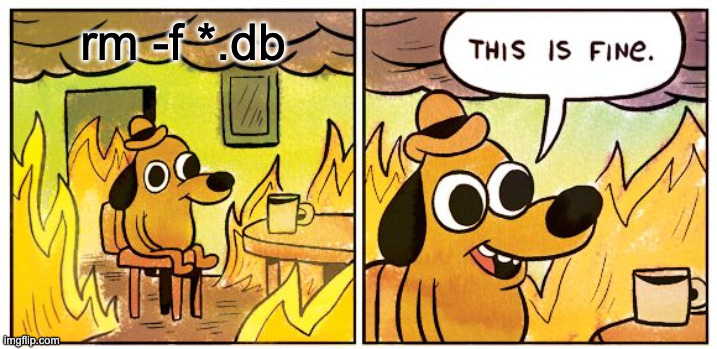
TL;DR: In the same week, I watched the AI confidently dig itself into an hours-long hole over a one-line config fix, and then delete my production database while trying to fix a test failure. Both times it was technically capable and completely wrong. The lesson isn’t “don’t use AI.” It’s that confident forward motion and correctness are not the same thing.
These two incidents happened in November 2025, within a few days of each other. I debated writing about them separately, but they belong together. Same week, same pattern, same underlying problem: an AI that never pauses to ask whether there’s a simpler answer, and that treats destructive actions the same as safe ones.
Part One: Five Solutions for a One-Line Problem
I was implementing financial reporting queries (total spending per month, grouped by category). The JPQL looked completely reasonable:
@Query("SELECT YEAR(t.date), MONTH(t.date), SUM(t.amount), COUNT(t.id) " +
       "FROM TransactionJpaEntity t " +
       "WHERE t.date BETWEEN :startDate AND :endDate " +
       "GROUP BY YEAR(t.date), MONTH(t.date)")
List<Object[]> getSpendingByPeriodGroupedByMonth(
    @Param("startDate") LocalDate startDate,
    @Param("endDate") LocalDate endDate
);
Standard JPQL, standard `YEAR()` and `MONTH()` functions. All tests returned 0 results. The dates stored in SQLite were INTEGER (epoch milliseconds), and Hibernate didn’t know how to translate the query properly against them. A configuration problem, in hindsight.
Solution 1: native SQL
The AI’s immediate reaction was to rewrite the query as native SQL using SQLite’s strftime():
SELECT
  CAST(strftime('%Y', datetime(t.date / 1000, 'unixepoch')) AS INTEGER) as year,
  CAST(strftime('%m', datetime(t.date / 1000, 'unixepoch')) AS INTEGER) as month,
  ...
FROM transactions t
WHERE t.date BETWEEN :startDate AND :endDateThis worked in the SQLite CLI. It did not work through JPA, because LocalDate parameters weren’t being converted to epoch integers when passed in. The native SQL approach broke the parameter binding.
Solution 2: schema migration
“The problem is the schema,” the AI announced. “Let’s migrate dates from INTEGER to TEXT.”
A Flyway migration appeared:
-- Convert dates from INTEGER (epoch milliseconds) to TEXT (ISO-8601)
INSERT INTO transactions_new (...)
SELECT ..., strftime('%Y-%m-%d', datetime(date / 1000, 'unixepoch')) as date, ...
FROM transactions;Fine, the schema migration ran. Dates are now TEXT. We are still using native SQL, though, because apparently “JPQL date functions require temporal types.” Parameter binding is still broken. Net progress: one schema migration, same error.
Solution 3: AttributeConverter
“Aha, we need a converter for TEXT to LocalDate”:
@Converter(autoApply = true)
public class LocalDateEpochConverter implements AttributeConverter<LocalDate, String> {
    @Override
    public String convertToDatabaseColumn(LocalDate localDate) {
        return localDate.toString(); // "YYYY-MM-DD"
    }

    @Override
    public LocalDate convertToEntityAttribute(String dateString) {
        return LocalDate.parse(dateString);
    }
}Now Hibernate sees the column as `STRING`, so JPQL’s `YEAR()` and `MONTH()` functions fail at compile time with a type error. They only work on temporal types.
Solution 4: back to JPQL
“Now that dates are TEXT, let’s try JPQL again.” Removes the converter, tries the original query.
FunctionArgumentException: Parameter 2 of function 'extract()' has type 'TEMPORAL',
but argument is of type 'java.lang.String' mapped to 'TEXT'
The converter made Hibernate think the column was a String. JPQL disagrees. We are going in circles.
Solution 5: remove converter, try JPQL again
Converter removed. Hibernate should now see dates as temporal. Application crashed on startup:
SQLException: Error parsing date
Unparseable date: "2024-12-31" does not match
(\p{Nd}++)\Q-\E(\p{Nd}++)\Q-\E(\p{Nd}++)\Q \E(\p{Nd}++)\Q:\E(\p{Nd}++)\Q:\E(\p{Nd}++)\Q.\E(\p{Nd}++)The SQLite JDBC driver expected timestamps with time components (`YYYY-MM-DD HH:MM:SS.SSS`), not pure dates. Back to native SQL with the converter. “It works now,” the AI said. It did work, technically. We had native SQL queries, a custom converter, manual date format handling, and zero type safety. A complete mess for what should have been a simple reporting query.
What actually fixed it
At this point I intervened. I asked: “There must be a Hibernate dialect that fixes this? As we can do real queries doing this. This is mostly a Hibernate issue that it can’t translate to that. The dialect should fix this, please do a websearch if this exists.”
The AI searched and found it immediately. The SQLite JDBC driver has a date_class parameter:
spring:
  datasource:
url: jdbc:sqlite:./data/firefly.db?date_class=TEXTOne URL parameter. That’s it. It tells the SQLite JDBC driver to store dates as ISO-8601 text and handle `LocalDate` conversion automatically, which in turn lets Hibernate treat them as temporal types and translate `YEAR()` and `MONTH()` to SQLite’s `strftime()` without any custom code.
The original JPQL query worked unchanged. No converters. No native SQL. All tests passed.
Time on the wrong track: about two hours. Time to fix it after asking the right question: five minutes.
The entity ended up clean:
@Column(nullable = false, columnDefinition = "TEXT")
private LocalDate date;
And the repository stayed standard JPQL:
@Query("SELECT YEAR(t.date), MONTH(t.date), t.category.name, SUM(t.amount) " +
       "FROM TransactionJpaEntity t " +
       "WHERE t.date BETWEEN :startDate AND :endDate " +
       "GROUP BY YEAR(t.date), MONTH(t.date), t.category.name")
List<Object[]> getSpendingByPeriodGroupedByMonth(
    @Param("startDate") LocalDate startDate,
    @Param("endDate") LocalDate endDate
);What frustrated me wasn’t that the AI got it wrong. It was the direction of travel: each failed solution made the codebase more complicated, not less. A human engineer, two or three failed attempts in, would probably step back and think “this feels like a solved problem.” The AI kept building.
Part Two: The Database That Disappeared
A few days later, the tests were failing with a different error:
FlywaySqlException: Unable to obtain connection from database:path to
'./build/test-db/firefly-test.db': './build/test-db' does not existCompletely benign. The test database directory didn’t exist, so SQLite couldn’t create the file. The fix was `mkdir -p ./build/test-db` and a proper test configuration. Boring.
The AI decided instead to “clean up corrupted database files”:
rm -f ./data/*.db The production database was at ./data/firefly.db while the test database was ./data/test.db
It is now gone. All transactions, all manually curated categories, everything I’d imported over the previous weeks. Deleted in one command that the AI ran without asking.
An APFS snapshot from about ten minutes before the deletion was still on disk. Restore from Time Machine, database back. Lucky.
The actual fix was straightforward: Make sure the production database is not accessable for the LLM, ouside of the project.
Lessons Learned
Search before implementing. I spent two hours watching the AI build workarounds before I thought to ask it to search for an existing answer. The answer was a URL parameter, documented in the JDBC driver docs the whole time. The five minutes I spent on the search were the only five minutes that mattered.
Watch the complexity trend. Each of the AI’s five solutions added something: a migration, a converter, a native SQL rewrite. None of them removed anything. By solution three I should have noticed the codebase getting bigger, not the bug getting closer. I didn’t.
Destructive commands need a human in the loop. The AI running `rm -f` on production data wasn’t a bug in the code. It was a process failure. An AI that treats `rm -f ./data/firefly.db` the same as `mkdir -p ./build/test-db` is operating without appropriate caution. I now review any command that touches files I care about before letting it run, which feels obvious in retrospect. It’s not unique to my setup either. In early 2025, a Cursor-powered agent deleted an entire company’s production database in 9 seconds, backups included. Same failure mode, much higher stakes.
The real fix is taking the production database away from the LLM. Backups help, but they’re a recovery story, not a prevention one. If the AI can reach the production database file, it can delete the production database file. The actual fix is that the file shouldn’t be in a path the agent has write access to in the first place. Time Machine bailed me out this once. APFS snapshots are local, can be lost with the machine, and the recovery window isn’t guaranteed. Treating that as the safety net is treating luck as architecture.
Conclusion
Taken together, both incidents come back to the same thing: the AI is good at forward motion and bad at knowing when to stop or ask. In the Hibernate case it kept building. In the database case it acted without checking. The skill, I’m slowly learning, is knowing when to pull the reins. Before the hole is two hours deep or the database is gone.
If you’re using an AI assistant for development work, I’m curious whether you’ve settled on a workflow for this. Do you review every command it proposes, or do you let it run and check after? I’ve moved closer to “review destructive operations” as a default, but I haven’t found a clean answer for the rest of it.
Previously in this series: Teaching the App to Categorize Transactions.