TL;DR: I got tired of manually categorizing transactions in Firefly III and wanted a FIRE dashboard that doesn’t require three clicks to find. So I built my own finance tool from scratch, using Claude Code as my primary development method. This series documents what happened, the things that worked surprisingly well, and the things that went sideways.
The Moment It Started
Somewhere in late 2025, I was sitting in front of Firefly III with 400 uncategorized transactions. Again. I’d written categorization rules. They’d worked for a while. Then my bank changed the description format for iDEAL payments, and half of them stopped matching.
I’d been writing about this exact problem on this blog. First about rule-based categorization, then about using AI as a programming partner. The ML categorization post ended with a hybrid approach that sort of worked. The AI pair programming post ended with cautious optimism.
What I hadn’t done yet was combine the two: use AI pair programming to build an AI-powered finance tool. The kind of tool I actually wanted to use.
Why Not Just Use Firefly III?
I want to be fair to Firefly III here. It’s a solid open source project, well-maintained, and it works for a lot of people. I used it for months. The name of my project, Firefly Finance, is a deliberate nod.
But Firefly III is built for a broad audience, and my frustrations kept circling around the same three things.
First: categorization. I don’t want to write rules. I want to categorize Albert Heijn as “Groceries” three times and have the system figure out the rest. Without me telling it. That’s not what Firefly III does. It uses text matching (“contains”, “starts with”, “is exactly”), and those rules rot. Bank changes a description format? New merchant? You’re back to writing rules.
Second: FIRE. I track my progress toward financial independence. I want to open my finance app and immediately see my FI number, savings rate, and projected date. In Firefly III that’s buried in reports or requires manual calculation. I wanted it on the first screen.
Third, and maybe the biggest frustration: budgets. Firefly III wants you to set budgets per category and alerts you when you overspend. Sounds useful. In practice it means maintaining dozens of limits that shift every month, for notifications that aren’t actionable. I don’t need to be told I spent too much on groceries in December. I need to see whether my savings rate is on track for FIRE. The budget management cost me more time than the insights were worth.
So I did what I probably shouldn’t have done. I built my own. Not a better Firefly III. A narrower one, for an audience of one.
The Tech Choices
Java 21 with Spring Boot 4, because I know the ecosystem and modern Java is pleasant to write domain code in. Hexagonal architecture with DDD to keep financial calculations isolated from infrastructure. If I ever swap SQLite for PostgreSQL, the domain shouldn’t notice. JVector for vector similarity search, pure Java with SIMD acceleration, no separate vector database needed. Web Components with Lit for the frontend. I didn’t want a React build pipeline for a few dashboards and a transaction list.
The whole thing packages into a single JAR. No Docker required, no database server, no infrastructure to worry about. For a side project, that matters. The less operational overhead, the more likely I’ll actually keep using it.
What I Built
The application does three things: import bank transactions from CSV, categorize them automatically using vector embeddings, and show me a FIRE dashboard.
The categorization embeds each transaction into a vector using all-MiniLM-L6-v2 (downloaded from HuggingFace on first run, cached locally). It then compares that vector against previously categorized transactions. No training phase, no labelled dataset required. Categorize a handful manually, and the system picks up the patterns. Not perfect, but better than rules. And it doesn’t break when my bank reformats a description.
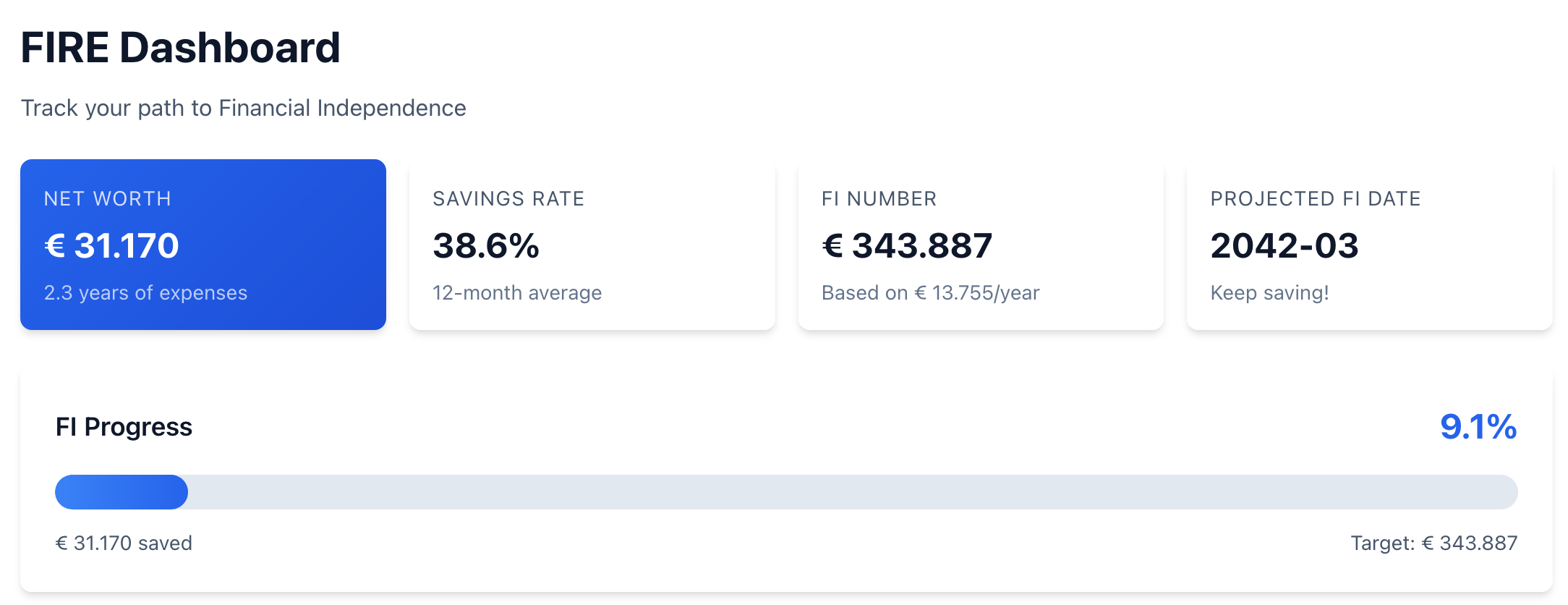
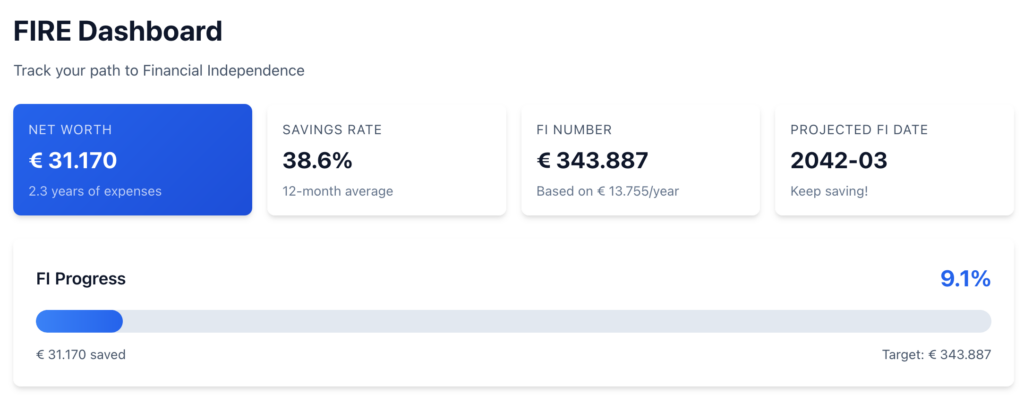
The FIRE dashboard shows net worth, FI number, savings rate, and projected independence date. It’s the first thing you see when you open the app. If it’s not on the first screen, I won’t look at it.
Everything runs locally. The embedding model is downloaded once from HuggingFace and cached on disk. The database is a single SQLite file. Start the application, open your browser, done.
The Vibe-Coding Experiment
Here’s the part that makes this project different from anything I’ve built before: I didn’t write most of the code myself.
I used Claude Code as my primary development tool. Not as a code completion plugin, but as the thing that writes the implementation while I describe what I want. My earlier post on AI pair programming was about trying it out cautiously. This project was about going all in. What happens when you build a complete application this way?
Some of what happened was genuinely impressive. The categorization system (embeddings, vector search, weighted features) worked almost correctly on the first attempt. I described the approach, the AI implemented it, and it categorized transactions accurately. That was a surprise.
Some of what happened was less impressive. The AI deleted my production database during a refactoring session. The code quality is uneven. Some modules are clean, others have a copy-paste smell and error handling that’s just “return null and log it.” And there’s a budget table in the database from the very first session. Apparently the AI assumes “personal finance app” means budgeting. Nobody built the feature. Nobody removed the table. It’s still there.
I’ll get into all of that in the posts that follow.
What’s Next
This is the first post in a series about building this tool. I’ll write about the problems that came up during development, how they got solved (or didn’t), and what I learned about letting an AI write most of your code. Not tutorials, just honest accounts.
One response to “Building My Own Personal Finance App From Scratch (With AI Help)”
[…] whole reason I built this tool is that I was tired of writing categorization rules that broke every time my bank reformatted […]